Headphones on, Slack muted, deep in the work. That's exactly when a site goes down, and exactly when you need to hear it. Watchdog pulls your focus to the one thing that's actually broken.
3:12 PMPayments stops answering.You're three files into a refactor. Watchdog notices on the next check and re-checks within seconds, so a blip never breaks your flow.
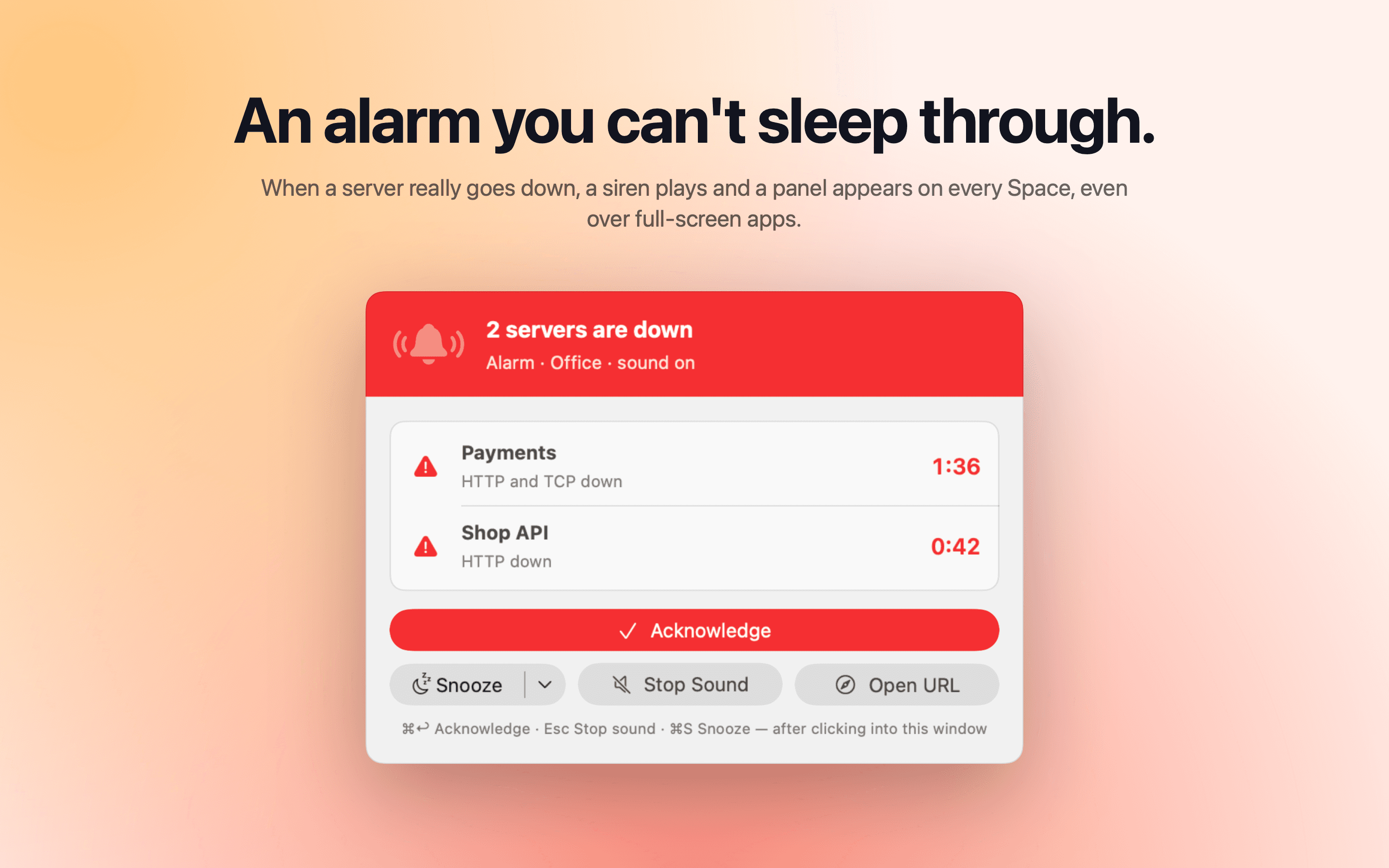
3:12 PMIt barks through your Focus.Time Sensitive alerts get past Focus mode. Critical servers get a siren and a panel over whatever is full-screen.
3:13 PMThe real problem, up front.No dashboard digging. “Payments: 502 Bad Gateway” is right there, with Acknowledge and Snooze.
3:16 PMFixed. Back in the zone.It says Recovered the moment Payments answers again and how long it was down. Then it goes quiet, so you can get back to work.
WatchdogFocus: Deep work3:11 PM
UPShop
UPAPI
UPPayments
DOWNPayments
UPBlog
WOOF!Payments is down!
!TIME SENSITIVEPayments is down Server answered 502 Bad Gateway.
✓Payments recovered It was down for 4 minutes.
Features
18 tricks it already knows
01
Sniffs out
HTTP & healthStatus codes, body checks, JSON health reports and response time.
SSL certificatesValid, trusted, right name. Reminders 30, 7 and 1 day before expiry.
DNSThe name resolves, and the records say what you expect.
Domain expiryThe registration end date, with reminder days you choose.
TCP & pingA port accepts connections; the host answers at all.
Webhooks & jobsTells you when expected events stop arriving.
02
Barks
Mac notificationsOne per problem, with Acknowledge and Snooze right in the banner.
Siren alarmA panel on every Space, even over full-screen apps.
Fast recoveryRe-checks every 5–60 s while down; says Recovered the moment it's back.
03
Remembers
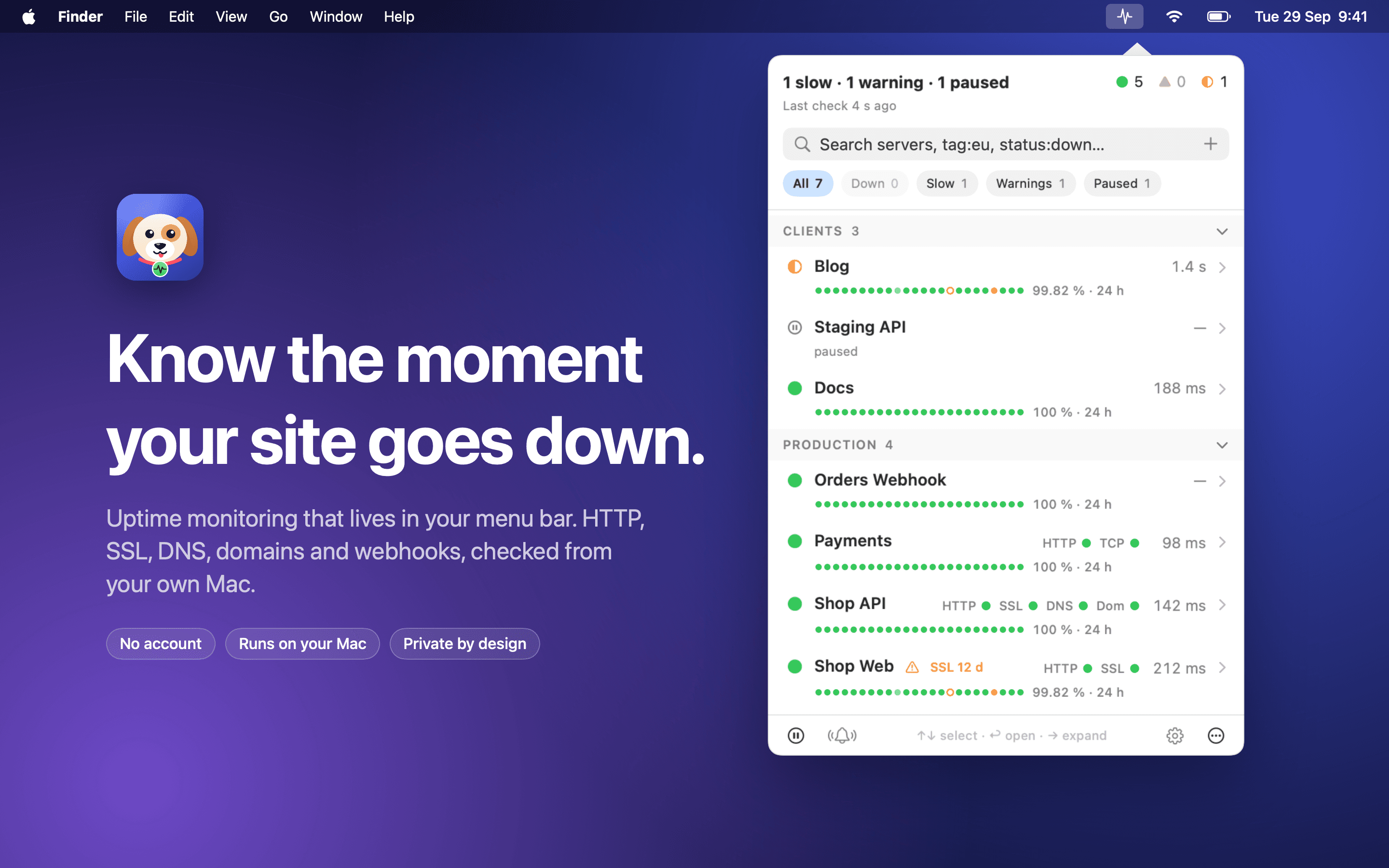
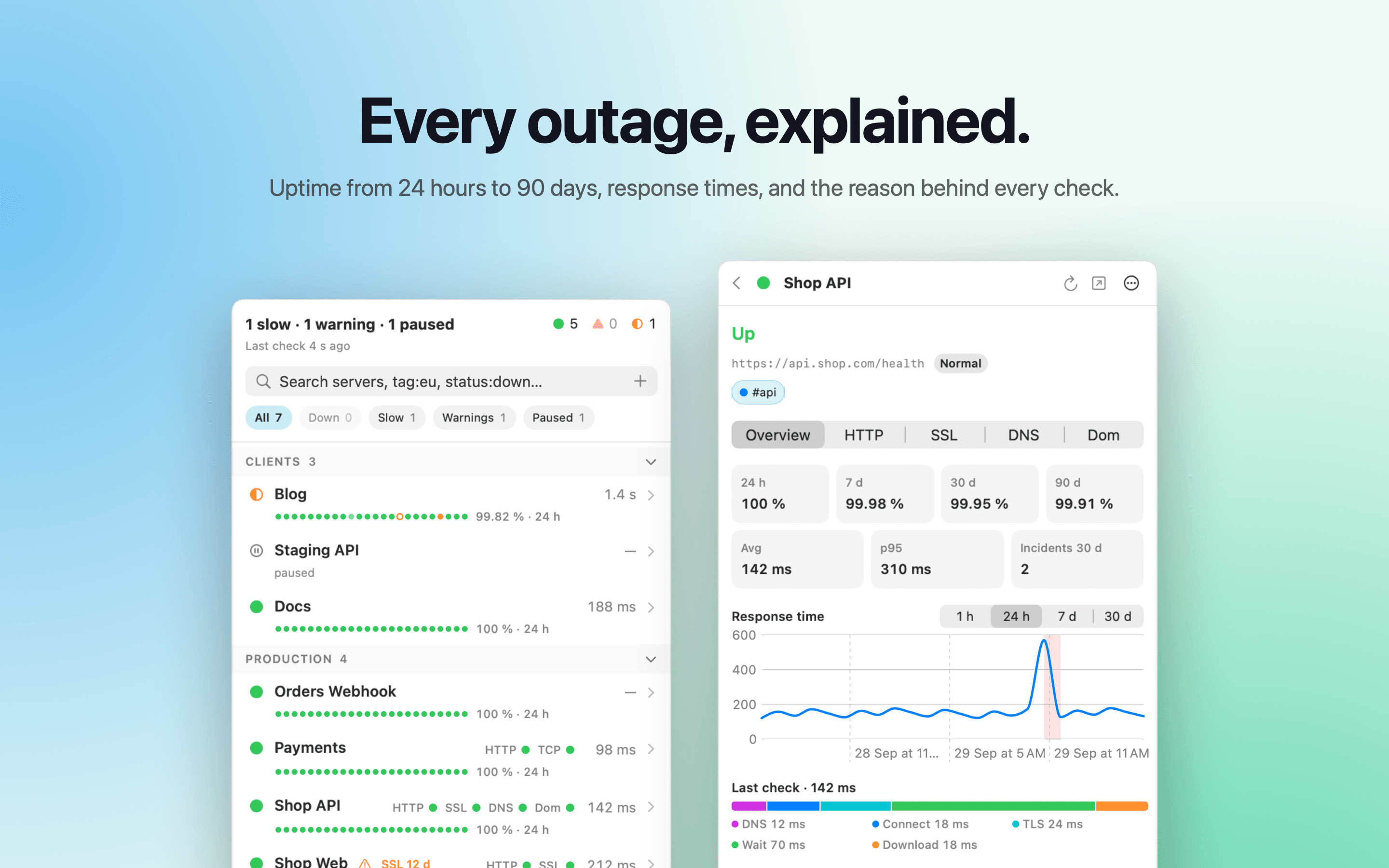
Uptime history24 hours to 90 days, and a dot for every day.
Response timesAverage, p95, and where the time went: DNS, TLS, waiting.
Reasons in plain words“Server answered 502 Bad Gateway”, not an error code.
04
Fetches & sorts
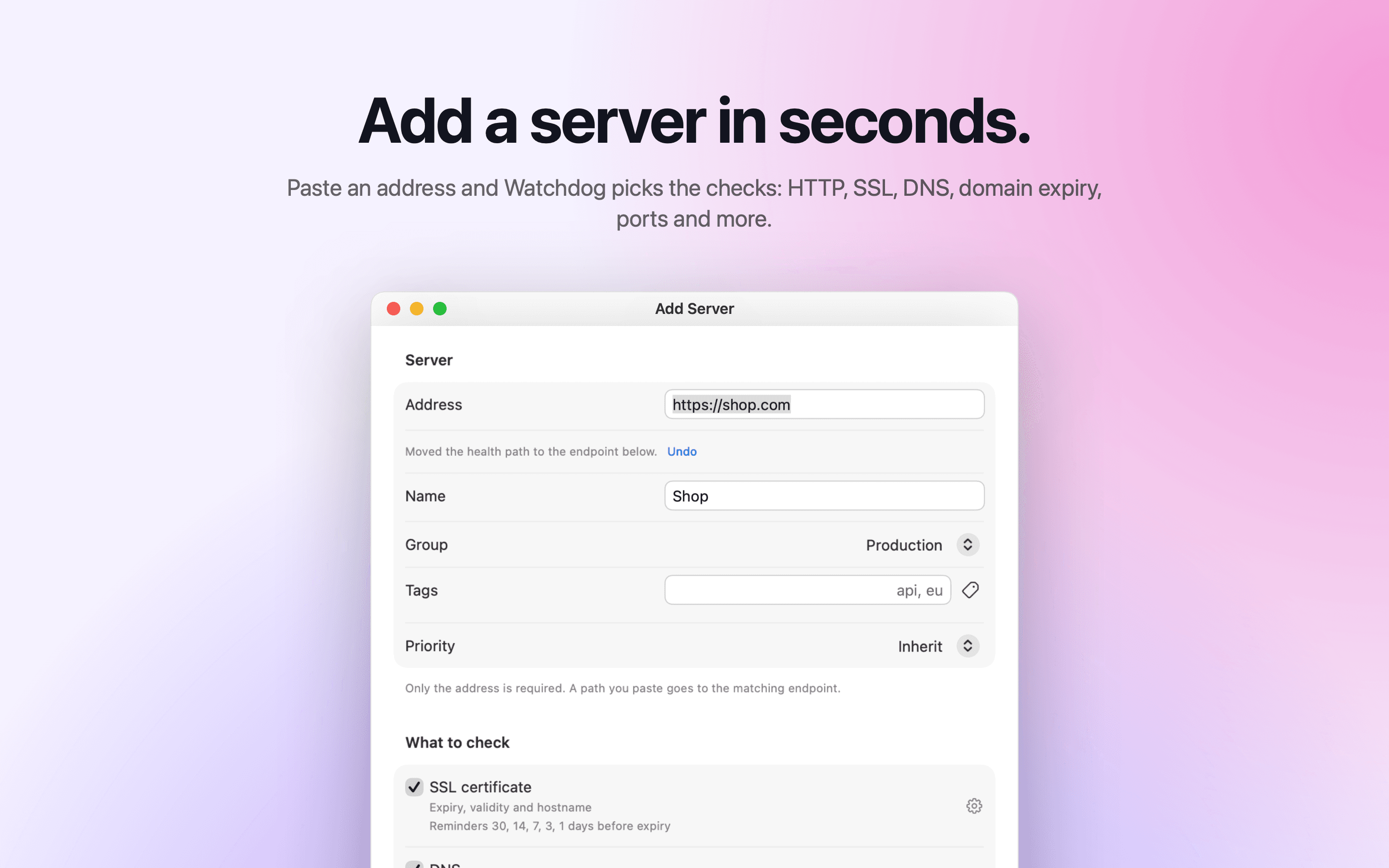
Groups, tags, priorityFolders per client, tags for search, priority for alerts.
Timing per checkYour own interval, timeout and retries for every check.
Runs on your MacNo account, no cloud, no analytics. Secrets stay in the Keychain.
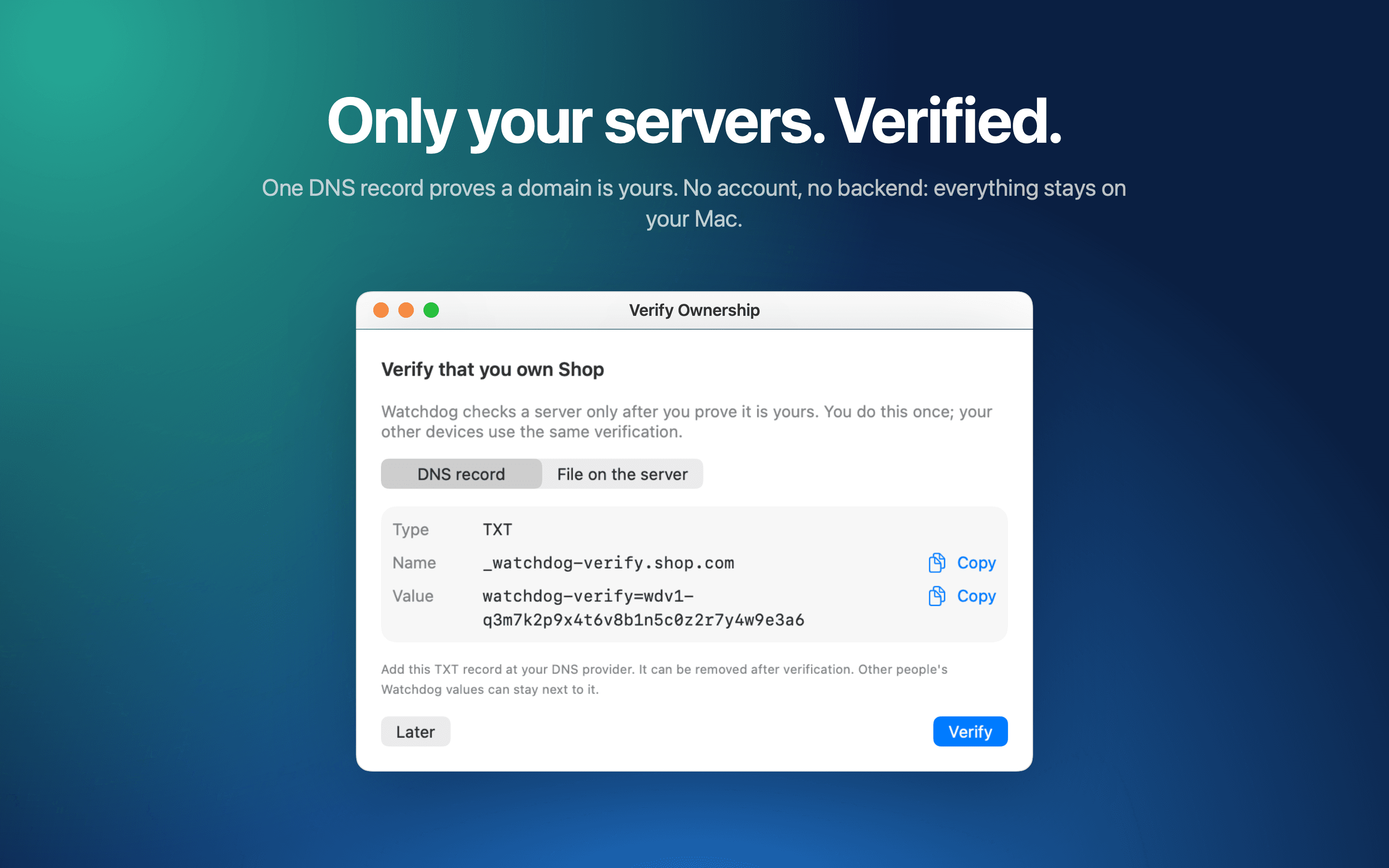
Ownership verifiedOne DNS record proves a domain is yours, once.
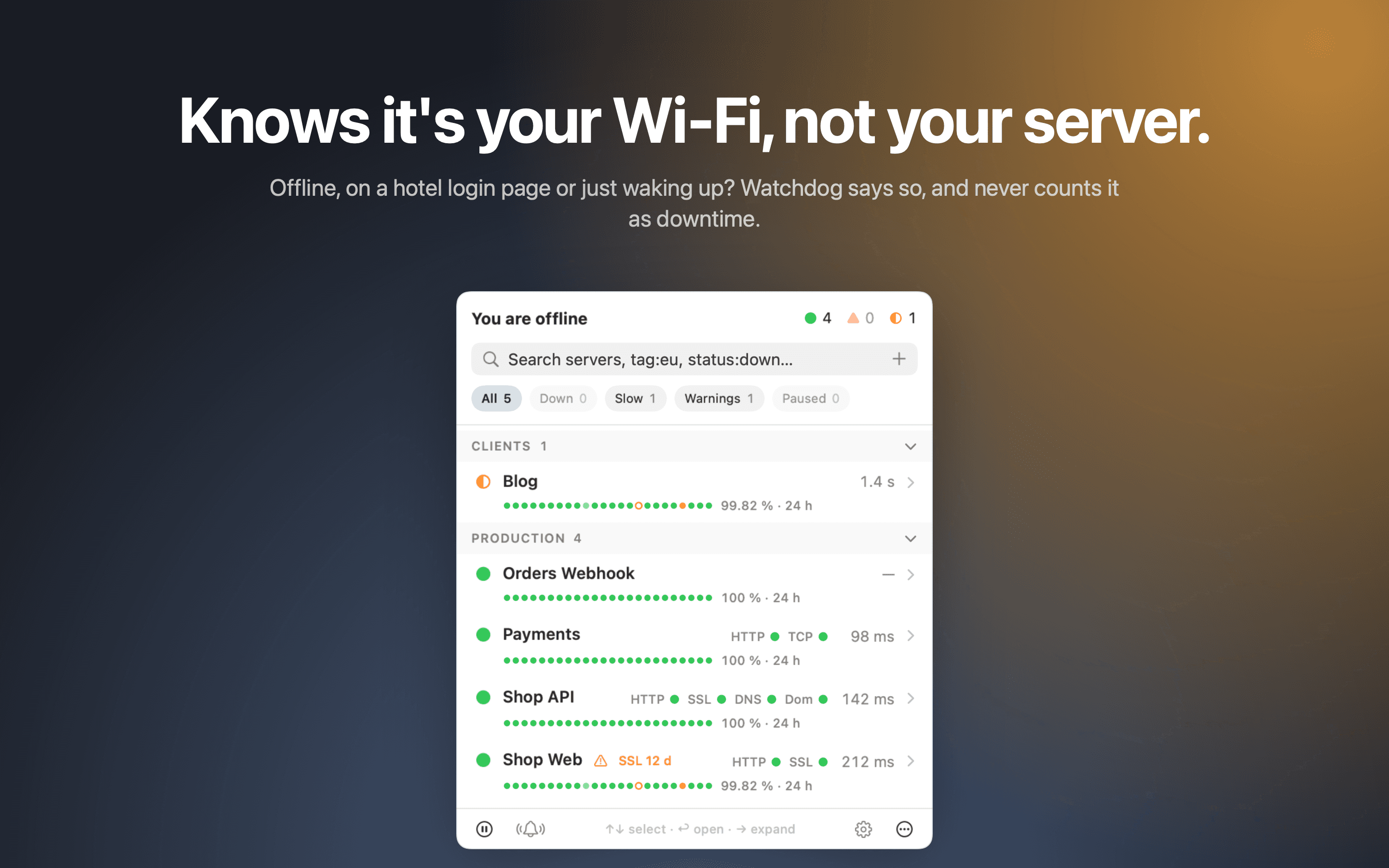
Offline-awareWi-Fi out or Mac asleep is “no data”, never downtime.
It knows the difference
It doesn't bark at the mailman.
Hotel Wi-Fi, a captive portal, a Mac waking up: Watchdog knows it's your connection, not your server. It says so, and never counts it as downtime or wakes you for it.
Up No data (Wi-Fi was out)
Wi-Fi is out
Not a burglar. Staying quiet.
Private by design
Loyal to you. Only you.
No account.
No cloud.
No tracking.
Lives on your Mac
Every check runs from your own machine. Nobody else sees your list.
Keeps secrets
Tokens and passwords stay in the Keychain, never in a file, a log or a notification.
Guards only yours
It checks a domain after one DNS record proves it belongs to you.
One DNS record. Once.
TXT_watchdog-verify.shop.com
"watchdog-verify=wdv1-q3m7k2p9x4t6v8b1"
Photos from the yard
Real app · sample data
On duty in the menu bar
The bark
What it remembers
Meet a new site
Not the mailman's fault
Only your yard
Adopt your watchdog.
It's free. No leash, no account. Add your first site, prove it's yours, and let it keep watch while you sleep.
 Watchdog